November Product Updates 2024
November Product Updates:
We’re excited to share our latest product updates for November! Here’s a breakdown of the new actions, enhancements, and bug fixes we’ve implemented to enhance your experience and streamline your workflows.
Microsoft Support :
At Zenphi, we're committed to meeting the diverse needs of our users. In response to your feedback, we've expanded our support for Microsoft users. Now, you can:
Sign up with a Microsoft account: This allows for seamless collaboration with colleagues who primarily use Microsoft products.
Leverage new OneDrive actions: Automate tasks like file uploads, downloads, creation, deletion, and more.
Learn more: Watch our quick video: https://youtu.be/8cJwiSJmWR0
New Trigger :
Zenphi Email Inbox Trigger:
Available for Pro tier users and above, this exciting new trigger allows users to initiate a Zenphi Flow by forwarding an email to a unique Zenphi email address.
Start a flow from any email provider without granting Zenphi access to your entire mailbox.
Designed to prioritize data security while simplifying email-based automation.
New Actions :
Upload File:
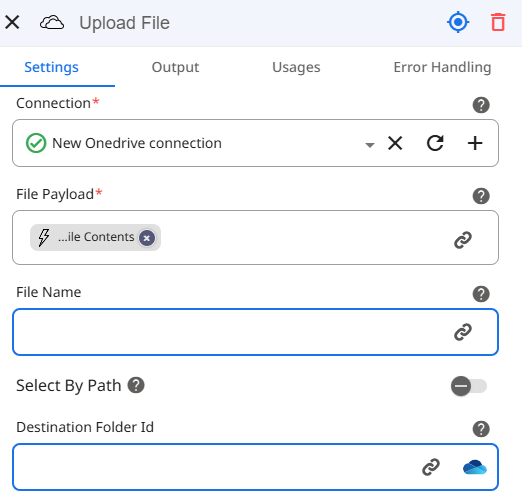
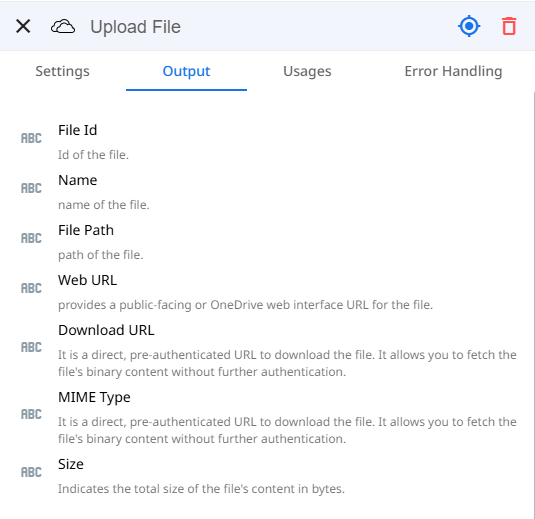
Upload a file (up to 15 MB) to a specified OneDrive folder. Customize the file name and folder location, with the option to upload to the root folder if no path is specified.
Input:
Output:
Download File:
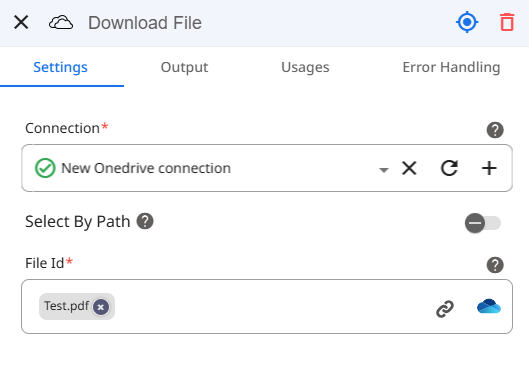
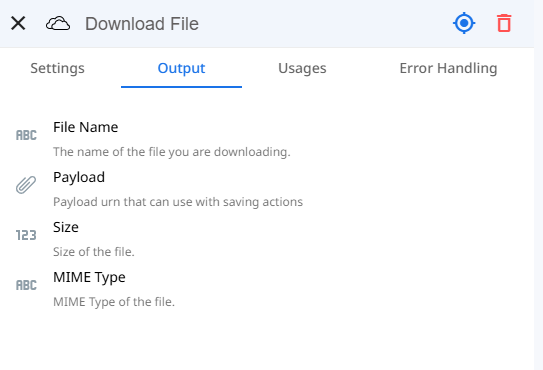
Retrieve files using their public download URL or file ID and save them within your workflow making it easy to use the payload within another step.
Input:
Output:
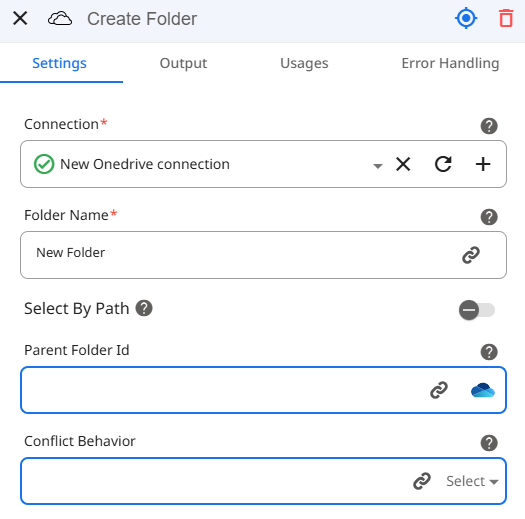
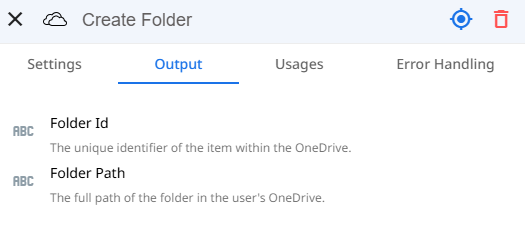
Create Folder:
This action allows users to create a new folder within a specified path in OneDrive. Additionally the Conflict Behavior parameter determines what happens when a new item (e.g., folder or file) has the same name as an existing item in the target location. Users can choose whether to rename, replace or return an error.
Input:
Output:
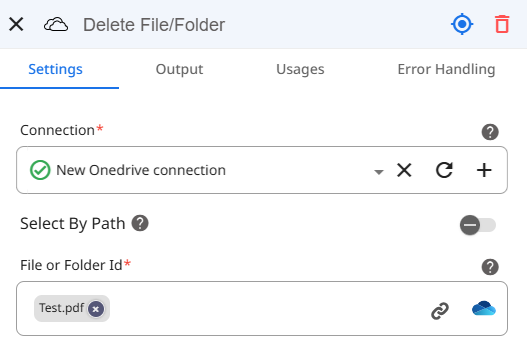
Delete File/Folder:
Use this action to delete a specified file or folder from OneDrive with its path or id. Making it simple to remove any unwanted files or folders from your OneDrive.
Input:
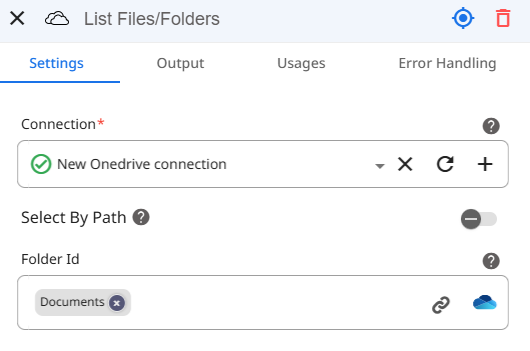
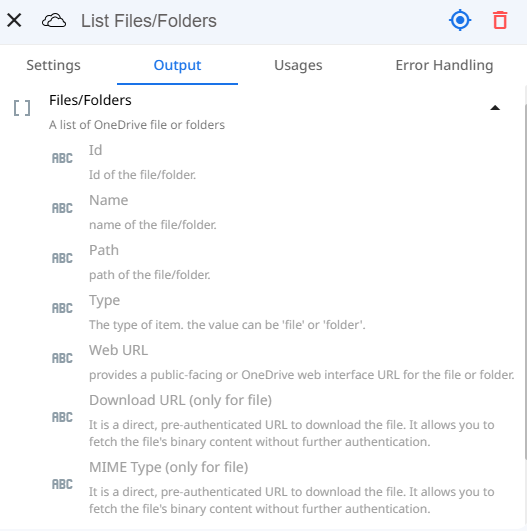
List Files/Folder:
Retrieve a list of files or folders in a specified directory, ideal for auditing and organization. This can be done for a specific folder or the root folder within OneDrive.
Input:
Output:
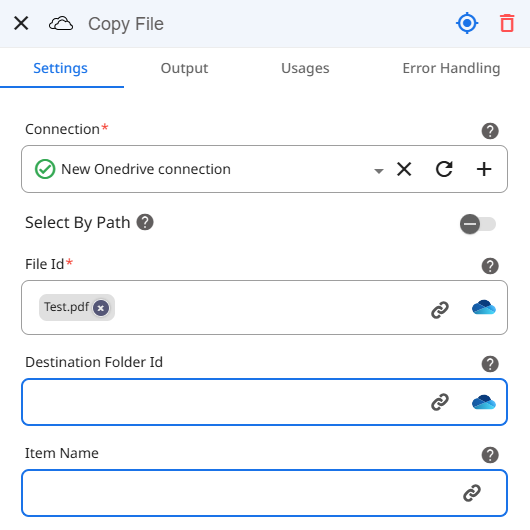
Copy File:
This action allows users to copy files to a designated location in OneDrive or save them in the root folder if no destination is specified.
Input:
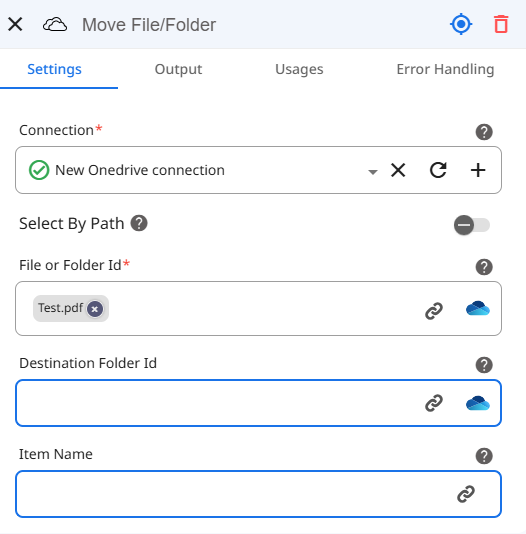
Move File/Folder:
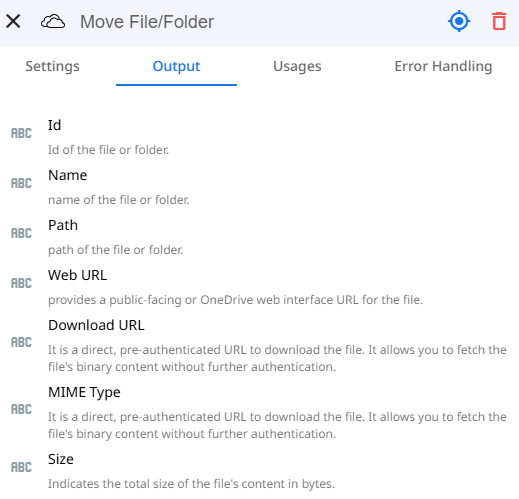
This action allows users to move files or folders to a new location in OneDrive for effortless organization. This can be done for a specific folder or directly in the OneDrive root folder.
Input:
Output:
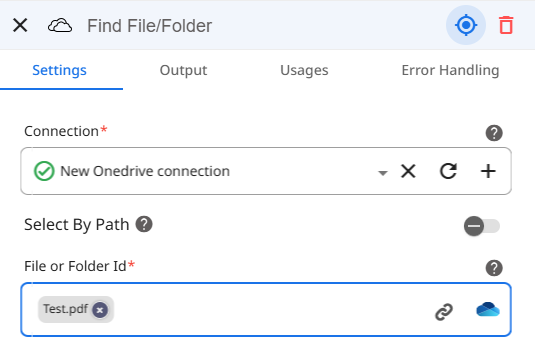
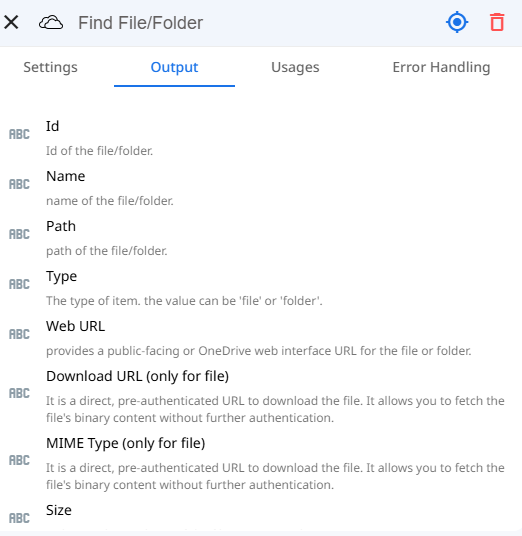
Find File/Folder:
This action allows users to retrieve detailed information about specific files or folders by ID or path to use easily within the rest of the workflow.
Input:
Output:
Updates to Actions:
Translate Text: Now supports HTML content, improving the translation of structured documents.
Update Group Settings: Added a field to enable or disable collaborative inbox functionality for groups.
Twilio Action (Send SMS): The API has been updated to accommodate for the new updates Twilio has pushed.
Enhancements:
Manual Trigger Update: Now includes the trigger time in the output parameters making it simple to keep track of when the flow was begun.
Timer Trigger Update: The output parameters now include the trigger time and specific time zone in which it was configured.
Previously to be able to keep track of the trigger time users had to make use of the “Current Date/Time” action to know this information, but that won’t be necessary anymore!Settings Page Improvement: Added a column displaying Space names in the Flow, AI, and Tables listings.

Zenphi Form Accessibility: Zenphi Forms are now WCAG-compliant, ensuring improved accessibility for all users.
Bug Fixes:
Zenphi Form Trigger: Flows beginning with a Zenphi form no longer run after deletion or unpublishing.
File Upload in Zenphi Form: Users are now able to upload larger files (over 30 MB) to the file field in Zenphi Forms.